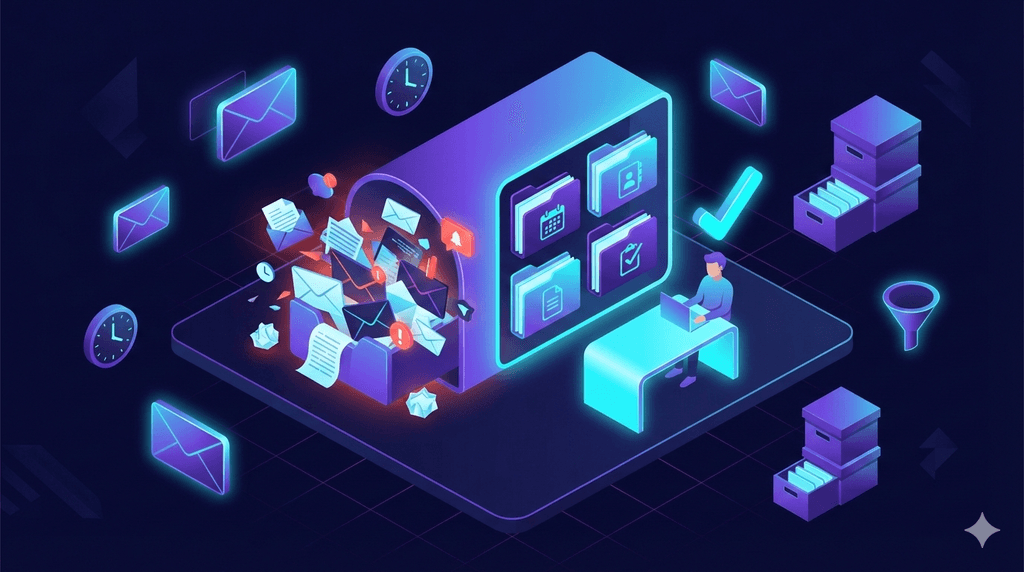
Tired of information overload?
KRYBL filters the essentials for you. A personalized newsletter, once a week.
121 emails received per day. 11.7 hours a week processing them. 36 inbox checks per hour. And yet, 40% of professionals admit to having at least 50 unread emails sitting in their inbox at any given time.
Email was supposed to make our lives easier. Somewhere along the way, it became our biggest source of workplace distraction. What if the solution has been around since 2006?
What is the Inbox Zero method?
The Inbox Zero concept was created by productivity expert Merlin Mann on his blog 43 Folders back in 2006. It blew up after a now-legendary talk he gave at Google in 2007.
But here's what most people get wrong: the "zero" doesn't refer to the number of messages in your inbox. It refers to the amount of time your brain spends in your inbox. That distinction changes everything.
Mann's idea was simple: every email sitting in your inbox is a pending decision. And every pending decision drains mental energy. The goal isn't to have zero messages, it's to process each email quickly so you can free up your attention for real work.
The 5 core actions
For every email, you only have 5 options:
- Delete (or archive) : if it doesn't concern you
- Delegate : if someone else is better suited
- Reply : if it takes less than 2 minutes
- Defer : if it requires time, schedule it
- Do : if it's urgent and important, handle it now
Why the Inbox Zero method doesn't work for everyone
Let's be honest: applied strictly, the Inbox Zero method can become counterproductive. Here's why.
The perfectionism trap
For some people, maintaining an empty inbox becomes an obsession. Instead of reducing stress, it creates more. You end up spending more time sorting than working. A study published by the American Psychological Association shows that information multitasking, including compulsive email checking, can reduce productivity by up to 40%.
The volume has changed
When Mann coined the concept in 2006, email volume was far lower. Today, with 121 emails per day on average and nearly 392 billion emails sent globally each day, the context is radically different.
The newsletter and notification problem
A huge portion of your emails require zero action: notifications, newsletters, automated confirmations. Applying Mann's 5 actions to every single one of them is a colossal waste of time.
The pressure to respond immediately
Inbox Zero can create an artificial sense of urgency. You feel compelled to reply quickly just to "clear" your inbox, at the expense of thoughtful responses.
Does that mean you should give up on the idea entirely? No. You just need to adapt it.
6 Strategies to Apply the Inbox Zero Method in 2026
Forget purist Inbox Zero. Here's an approach adapted to today's reality.
1. Adopt the 3-check rule
Instead of checking your inbox 36 times an hour, limit yourself to 3 time slots per day: morning, early afternoon, end of day. A study from the University of British Columbia (Kushlev & Dunn, 2015) found that people who checked their email only 3 times a day reported significantly lower stress levels.
Outside those windows, close your email client. Yes, completely.
2. Apply the 2-minute rule (and nothing more)
If an email takes less than 2 minutes to handle, do it immediately. If it takes longer, turn it into a task in your management tool (Todoist, Notion, a simple text file, whatever works) and archive the email.
The trap to avoid: don't spend 2 minutes deciding whether something takes 2 minutes.
3. Create 4 folders, not 40
Complex filing systems are doomed to fail. Simplify with 4 labels:
- @Action : requires action from you
- @Waiting : you're waiting for a reply
- @Reference : worth keeping for later
- @Read : articles, newsletters to read when you have time
Everything else goes to archive. Modern email search engines are powerful enough to find anything you need.
4. Unsubscribe aggressively (but smartly)
Only 30% of received emails actually require immediate action. The rest? Noise.
Take 30 minutes this week to:
- Unsubscribe from every newsletter that no longer brings you value
- Turn off non-essential notifications (social media, apps)
- Set up automatic filters for recurring low-priority emails
Curious how much time you're actually losing to email? Our article on professional monitoring breaks down the numbers.
For the newsletters you do want to keep, consider a curation service like KRYBL that consolidates your information sources into a single personalized weekly digest, instead of 15 different emails piling up.
5. Use pre-written replies
Look at your sent emails: you'll find that 60 to 70% of your replies are variations of the same message. Create templates for:
- Acknowledgments ("Got it, I'll get back to you by Friday")
- Redirections ("X is the right person for this, I'm looping them in")
- Polite declines ("Thanks for thinking of me, but I'm not available")
Gmail, Outlook, and most email clients offer quick reply or template features.
6. Schedule a monthly "email amnesty"
On the last Friday of each month, archive anything older than 30 days that hasn't been dealt with. If it were truly urgent, the sender would have followed up.
It's radical, but liberating. And in 99% of cases, no one notices.
Tools to support your Inbox Zero method
Method alone isn't enough. Here are the tools that can accelerate your results:
Native filters (Gmail, Outlook) : free and often underused. Set up rules to automatically archive recurring emails (notifications, order confirmations, alerts) and keep only what requires a real decision in your inbox.
Unroll.me or Cleanfox : these tools scan your inbox and show you all your newsletter subscriptions at a glance. You can unsubscribe in one click. Perfect for an initial deep clean.
SaneBox : AI analyzes your email history and automatically sorts messages by importance. Low-priority mail gets moved to a "SaneLater" folder you check on your own time. Paid (around $7/month), but the time savings are real.
Your calendar : block your 3 email slots as meetings. If it's in your calendar, you'll respect it. If you tell yourself "I'll check when I have time," you'll check 36 times an hour.
For a deeper dive into optimizing your information sources, check out our comparison of curation tools in 2026.
Your action plan for this week
Don't aim for perfection. Aim for progress.
- Today : turn off email notifications on your phone
- Tomorrow : set your 3 daily email-check time slots
- Wednesday : spend 30 minutes unsubscribing from useless newsletters
- Thursday : create your 4 folders (@Action, @Waiting, @Reference, @Read)
- Friday : do your first "email amnesty", archive everything older than a month
Conclusion
Perfect Inbox Zero is a myth. But a well-managed inbox is absolutely achievable. The goal isn't to have zero emails, it's to spend zero wasted time in your inbox.
As Merlin Mann himself put it: "It's not an email problem. It's an attention problem." The Inbox Zero method, adapted to your reality, is ultimately a framework for protecting what truly matters: your time and your focus.
You've applied the Inbox Zero method but still getting buried in newsletters? KRYBL filters the news that matters based on your interests and delivers it once a week, in a clear, personalized format. Try free for 15 days.
Ready to take back control?
Join thousands of readers who chose clarity. A personalized newsletter, to read or listen to, once a week.
Get started with KRYBLRelated articles

5 Tools to Automate Your News Monitoring Effortlessly in 2026
Discover the best tools to automate your news monitoring in 2026: Google Alerts, Feedly, Inoreader, Flipboard and KRYBL compared in detail.

Decision Fatigue: When Too Much Information Kills Good Decisions
Discover why you make poor decisions at the end of the day and how information overload makes it worse. Practical strategies to regain your mental clarity.